
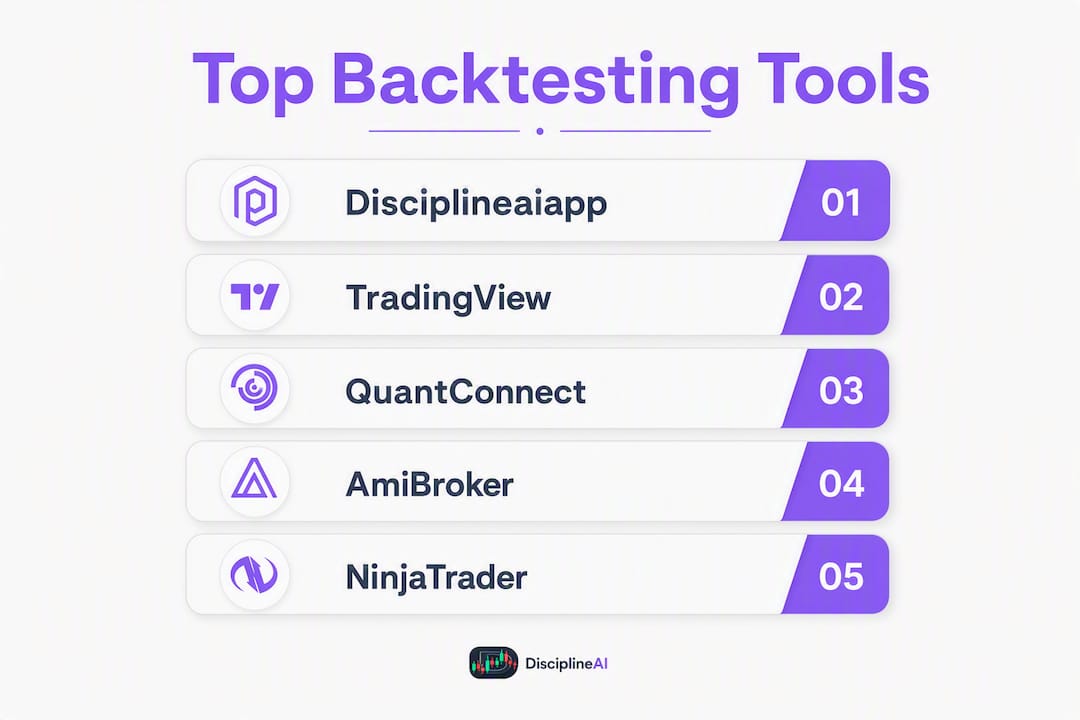
Disciplineaiapp is the top pick for crypto and multi-asset algorithmic traders who need an integrated replay-to-live workflow with AI-generated signals and execution analytics. For charting-first traders, TradingView is the most accessible entry point. QuantConnect leads for cloud-based quant research. Forex Tester and FX Replay are specialists for tick-level forex simulation. MetaTrader 4/5 and NinjaTrader remain the most widely deployed platforms for retail automation and futures execution.
The core claim of this article: the best backtesting software is the one that matches your execution environment, not just your research workflow. A backtest that ignores slippage, fee structures, and order-book dynamics is a hypothesis, not a result. The tools below are ranked on data fidelity, robustness tooling, and how cleanly they connect to live execution.
Top picks at a glance:
- Disciplineaiapp — market replay with fog-of-war, AI confidence scores, execution-quality analytics, and trade journaling; best for crypto and multi-asset algo traders
- TradingView — charting-first with Pine Script strategy tester; best for visual, community-driven testing
- QuantConnect — cloud Python/C# research at scale; best for quant developers and researchers
- Forex Tester — tick-level simulation with exit optimizers; best for forex traders who need parameter tuning
- NinjaTrader — integrated futures platform with order routing and replay; best for active futures traders
- StrategyQuant — automated strategy generation and walk-forward testing; best for systematic researchers
Pro Tip: Before committing to any platform, run a free trial with your actual historical data. A tool that performs well on vendor-supplied sample data may fail on your specific instruments or timeframes.
Table of Contents
- How the best backtesting software compares across key dimensions
- Platform profiles: what each tool actually does and who it fits
- Why Disciplineaiapp stands out for crypto and multi-asset algo traders
- How to choose the right backtesting software for your workflow
- Backtesting essentials: data fidelity, robustness, and rollout
- How we selected and compared these platforms
- Key Takeaways
- The gap most traders miss between backtesting and live trading
- Disciplineaiapp: the integrated option for traders who want replay, AI signals, and production-ready rollouts
- Useful sources and further reading
How the best backtesting software compares across key dimensions
| Platform | Best For | Markets | Data Fidelity | Automation | Robustness Tools | Paper Trading | Pricing | Ease of Use |
|---|---|---|---|---|---|---|---|---|
| Disciplineaiapp | Crypto & multi-asset algo traders | Crypto, forex, stocks | Tick-level replay with fog-of-war | AI signals, mobile app | Execution analytics, behavioral coaching | Yes, with P&L tracking | Subscription (iOS/Android) | High — guided UI |
| TradingView | Visual/charting traders | Stocks, forex, crypto, futures | Bar-level (tick on premium) | Pine Script | Limited (no walk-forward native) | Yes (paper mode) | From $14.95/mo | Very high |
| QuantConnect | Quant researchers | Equities, crypto, futures, forex, options | Tick + bar, cloud data | Python, C# | Walk-forward, Monte Carlo | Yes | Free tier + paid | Moderate (code-first) |
| AmiBroker | Windows quants | Stocks, futures, forex | Bar + tick (with data feed) | AFL | Walk-forward, Monte Carlo | Limited | One-time license | Moderate |
| NinjaTrader | Futures & forex traders | Futures, forex, equities | Tick-level | NinjaScript (C#) | Walk-forward | Yes | Free + paid tiers | Moderate |
| MetaTrader 4 | Forex retail traders | Forex, CFDs | Bar (M1 minimum) | MQL4 (EAs) | Limited | Yes (demo) | Free (broker-provided) | High |
| MetaTrader 5 | Multi-asset retail | Forex, stocks, futures, crypto | Bar + tick | MQL5 | Limited | Yes (demo) | Free (broker-provided) | High |
| Forex Tester | Forex tick-level testing | Forex, CFDs | Tick-level, 20+ years | Manual + scripting | Exit optimizer | Yes | One-time license | Moderate |
| ProRealTime | European multi-asset traders | Stocks, futures, forex | Bar + tick | ProRealCode | Walk-forward | Yes | Free + premium | Moderate |
| TrendSpider | Discretionary traders | Stocks, ETFs, crypto, forex | Bar-level | Rule-based alerts | Limited | Yes | Subscription | High |
| StrategyQuant | Systematic researchers | Forex, futures, stocks | Bar + tick | Java-based, MQL export | Walk-forward, Monte Carlo, PBO | Limited | Subscription/license | Low (complex) |
| cTrader | FX/CFD algo traders | Forex, CFDs | Tick-level | cAlgo (C#) | Limited | Yes | Free (broker-provided) | High |
| Backtrader | Python developers | Stocks, crypto, futures, forex | Bar + tick (custom feeds) | Python | Custom (extensible) | Custom | Free (open-source) | Low (code-first) |
| MultiCharts | Professional desktop traders | Stocks, futures, forex | Tick + bar, multi-datafeed | PowerLanguage, C# | Walk-forward, Monte Carlo | Yes | Subscription/license | Moderate |
| TradeStation | U.S. equity/options traders | Stocks, options, futures, forex | Tick + bar | EasyLanguage | Walk-forward | Yes | Free (with brokerage) | High |
| NakedMarkets | Retail simulators | Stocks, forex | Bar-level | Manual | Minimal | Yes | Subscription | Very high |
| FX Replay | Forex manual replay | Forex, futures, crypto | Tick-level | Manual + FXR Script | Minimal | Yes | Subscription | High |
| MetaTrader 4/5 | Broad retail automation | Forex, stocks, CFDs | Bar + tick (MT5) | MQL4/MQL5 | Limited | Yes (demo) | Free (broker-provided) | High |
Key trade-offs to know before you choose:
- TradingView's strategy tester is bar-based by default. Tick-level data requires a premium plan and is still less granular than dedicated simulators.
- QuantConnect's free tier is generous for research, but production-grade data pipelines add cost quickly.
- MetaTrader 4 remains the most widely supported platform by brokers, but its bar-level simulation and MQL4 limitations make it a poor choice for execution-sensitive strategies.
- StrategyQuant's automated strategy generation is powerful and genuinely useful for systematic researchers, but the learning curve is steep and the output requires rigorous robustness validation before trusting any generated strategy.
Platform profiles: what each tool actually does and who it fits
Disciplineaiapp
Disciplineaiapp is a mobile-first trading intelligence platform built for crypto and multi-asset traders who want the full workflow from replay to live in one place. Its market replay with fog-of-war simulates real decision-making pressure by hiding future price action, which forces you to practice entries and exits under realistic uncertainty. AI-generated setups with confidence scores, execution-quality analytics, and automated trade journaling make it the most integrated option for traders who want to improve discipline alongside strategy performance.
Pros:
- Fog-of-war replay builds genuine execution skill, not just hindsight pattern recognition
- AI confidence scores and behavioral coaching address the psychological side of trading
- Paper trading with P&L tracking bridges the gap between replay and live
Cons:
- Mobile-first design means less screen real estate than desktop platforms
- Not designed for heavy programmatic strategy development (Python/C# pipelines)
Best for: Crypto and multi-asset algo traders who want an integrated replay-to-live workflow with AI signals and execution analytics.
TradingView
TradingView is the most popular charting platform in retail trading, and its built-in strategy tester is widely used for chart-based backtesting. Pine Script is accessible enough for discretionary traders to write simple strategies without a programming background, and the community library of published scripts is enormous. Essential plans start at $14.95/month. The strategy tester works well for rule-based visual strategies; it is not the right tool for execution-sensitive or high-frequency research.
Pros:
- Best-in-class charting with a massive community indicator library
- Pine Script is approachable for non-developers
- Paper trading mode available across plans
Cons:
- Bar-level simulation by default; tick data limited even on premium plans
- No native walk-forward or Monte Carlo tooling
- Community scripts vary wildly in quality
Best for: Traders who want powerful charting and visual strategy testing without writing complex code.

QuantConnect
QuantConnect is a cloud research and backtesting platform that lets you write strategies in Python or C# against institutional-grade data pipelines. It supports equities, crypto, futures, forex, and options, and its cloud compute model means you can run large parameter sweeps without local hardware. The free tier is genuinely useful for research; production-grade data adds cost. Walk-forward and Monte Carlo tools are available.
Pros:
- Broad asset class support with cloud-scale compute
- Python and C# support with CI-style workflow integration
- Active open-source community and documentation
Cons:
- Code-first platform with a steep learning curve for non-developers
- Data costs can escalate for high-frequency or multi-asset research
Best for: Quant researchers and algorithmic developers who need cloud compute and broad data pipelines.
AmiBroker
AmiBroker is a Windows-based platform with a reputation for raw backtesting speed. Its proprietary AFL (AmiBroker Formula Language) is flexible enough for complex custom strategies, and its local optimization engine handles large parameter sweeps faster than most cloud alternatives for traders with the right hardware. Walk-forward and Monte Carlo tools are built in. It requires a third-party data feed for most markets.
Pros:
- Extremely fast local backtests
- Walk-forward and Monte Carlo optimization built in
- One-time license fee (no recurring subscription)
Cons:
- Windows-only
- Requires separate data feed subscriptions
- AFL has a learning curve; smaller community than Python-based tools
Best for: Windows-oriented quants who want local, high-performance optimization and full scripting control.
NinjaTrader
NinjaTrader is a mature desktop platform built around futures and forex trading, with integrated order routing, charting, and backtesting. NinjaScript (C#-based) gives developers real flexibility, and the platform's replay tools let you simulate historical sessions with realistic order execution. The free version covers most backtesting needs; the paid license unlocks advanced features and live trading.
Pros:
- Integrated order routing with direct broker connections
- Tick-level replay and realistic execution simulation
- Strong futures ecosystem with active community
Cons:
- Desktop-only (Windows)
- NinjaScript requires C# familiarity
- Some advanced features locked behind paid license
Best for: Active futures and forex traders who want an integrated platform covering research, replay, and live execution.
MetaTrader 4
MT4 is the most widely deployed retail forex platform globally, available free through most forex brokers. Its Expert Advisor (EA) framework lets traders automate strategies in MQL4, and the sheer volume of existing EAs and indicators is unmatched. The backtesting engine runs on M1 bars by default, which introduces simulation errors for execution-sensitive strategies. Tick data modeling is available but requires third-party tools.
Pros:
- Free through virtually every forex broker
- Massive EA and indicator library
- Simple to set up and use
Cons:
- Bar-level simulation introduces execution errors
- MQL4 is aging; limited multi-asset support
- No native walk-forward or robustness tooling
Best for: Forex retail traders using EA-based automation who prioritize broker compatibility over simulation fidelity.
MetaTrader 5
MT5 improves on MT4 with broader instrument support (stocks, futures, crypto), MQL5 automation, and better tick data handling. Many brokers now offer MT5 alongside or instead of MT4. The strategy tester supports multi-currency and multi-asset portfolios, and tick-level modeling is more accessible than in MT4. Still no native walk-forward tooling.
Pros:
- Multi-asset support beyond forex
- Better tick data modeling than MT4
- Free through broker platforms
Cons:
- Limited robustness tooling
- MQL5 is more complex than MQL4 for simple strategies
- EA ecosystem smaller than MT4's
Best for: Retail traders who need multi-asset support with scriptable automation and broad broker compatibility.
Forex Tester
Forex Tester is a dedicated backtesting tool built specifically for forex traders who need tick-level fidelity. It supports up to 10 synchronized charts, over 20 years of premium historical data, and a built-in exit optimizer for stop-loss and take-profit parameter tuning. The tick-level precision and multi-chart testing make it the strongest dedicated simulator for forex strategies that are sensitive to spread and execution timing.
Pros:
- Tick-level simulation with extensive historical data
- Built-in exit optimizer for parameter tuning
- Multi-chart synchronized testing
Cons:
- Forex and CFD focused; limited equity or crypto support
- One-time license plus data subscription costs
- Less useful for programmatic or algo-heavy workflows
Best for: Forex traders who need tick-level fidelity and built-in parameter optimization.
ProRealTime
ProRealTime combines charting, automated backtesting, and live trading in one platform, with a proprietary scripting language (ProRealCode) that is accessible for traders with moderate programming experience. It covers stocks, futures, and forex, and walk-forward testing is available. Popular with European traders and widely supported by European brokers.
Pros:
- Integrated charting, backtesting, and live trading
- Walk-forward testing available
- Strong broker integrations in Europe
Cons:
- ProRealCode is proprietary; less portable than Python or C#
- Premium data features add cost
- Smaller community outside Europe
Best for: European and multi-asset traders who want integrated charting and automated testing in one platform.
TrendSpider
TrendSpider automates technical analysis pattern detection and lets discretionary traders build rule-based alerts and backtests without writing code. It covers stocks, ETFs, crypto, and forex. The platform is designed for traders who think in chart patterns and indicators, not in code. Backtesting is bar-level and limited compared to dedicated quant platforms.
Pros:
- Automated pattern detection saves manual chart time
- No coding required for rule-based strategies
- Multi-timeframe analysis built in
Cons:
- Bar-level backtesting only
- Not suitable for execution-sensitive or algo-heavy strategies
- Subscription cost adds up for features that quant platforms include natively
Best for: Discretionary traders who want automated technical analysis and rule-based alerts without a programming background.
StrategyQuant
StrategyQuant automates strategy generation and robustness testing, making it the most powerful tool for systematic researchers who want to generate and validate large numbers of strategies quickly. Walk-forward testing, Monte Carlo simulation, and PBO analysis are all built in. The output can be exported to MQL4/5 or other formats. The platform is complex and requires serious time investment to use correctly.
Pros:
- Automated strategy generation at scale
- Walk-forward, Monte Carlo, and PBO tools built in
- Export to multiple execution platforms
Cons:
- Steep learning curve; not beginner-friendly
- Generated strategies require rigorous manual validation before trusting
- Cost is higher than most alternatives
Best for: Systematic researchers focused on automated strategy generation and extensive robustness testing.
cTrader
cTrader is a broker-front-end platform with a cleaner UI than MetaTrader and native algo capabilities through cAlgo (C#). Its built-in market replay tools and tick-level data make it a solid choice for FX and CFD traders who want algo capabilities without leaving their broker's environment. Availability depends on broker support.
Pros:
- Tick-level replay built in
- cAlgo (C#) for algo development
- Clean, modern UI
Cons:
- Availability depends on broker; not universal
- Smaller community than MetaTrader
- Limited robustness tooling
Best for: FX and CFD traders who want a broker-integrated replay and algo environment.
Backtrader
Backtrader is an open-source Python library that gives developers complete programmatic control over strategy logic, data feeds, and execution simulation. It is the most flexible option for custom research pipelines and integrates with any data source you can connect. No GUI, no hand-holding. If you know Python, it is free and extensible; if you do not, it is the wrong tool.
Pros:
- Full programmatic control; highly extensible
- Free and open-source
- Integrates with custom data feeds and brokers
Cons:
- No GUI; code-first only
- Requires Python proficiency
- No built-in walk-forward or Monte Carlo tooling (requires custom implementation)
Best for: Python developers who want open-source, fully customizable backtest frameworks.
Pro Tip: Backtrader pairs well with QuantConnect for research: prototype in Backtrader locally, then scale with QuantConnect's cloud data and compute for production validation.
MultiCharts
MultiCharts is a professional desktop platform with multi-datafeed support, PowerLanguage scripting (compatible with EasyLanguage), and portfolio-level backtesting. It supports walk-forward and Monte Carlo testing and connects to a wide range of data providers and brokers. The platform is aimed at professional traders who need more than MetaTrader but prefer a desktop environment over cloud-based research.
Pros:
- Portfolio-level backtesting with multi-datafeed support
- Walk-forward and Monte Carlo built in
- PowerLanguage compatibility with EasyLanguage strategies
Cons:
- Subscription or license cost is significant
- Desktop-only
- Smaller community than TradeStation or NinjaTrader
Best for: Professional desktop traders who need multi-datafeed portfolio backtesting.
TradeStation
TradeStation is a U.S.-focused platform that combines brokerage execution with research and backtesting in one environment. EasyLanguage is approachable for non-developers, and the platform supports stocks, options, futures, and forex. Walk-forward testing is available. For U.S. equity and options traders, the integrated brokerage access is a genuine advantage.
Pros:
- Integrated brokerage with direct execution
- EasyLanguage is accessible for non-developers
- Walk-forward testing available
Cons:
- U.S.-centric; limited international broker support
- EasyLanguage is proprietary and less portable than Python
- Free only with a brokerage account
Best for: Active U.S. equity and options traders who want a single platform for research and execution.
NakedMarkets
NakedMarkets is a retail-facing simulator designed for straightforward chart-based testing. It suits traders who want to practice reading price action without the complexity of a full quant platform. Robustness tooling is minimal, and it is not designed for algorithmic or execution-sensitive research.
Best for: Retail traders evaluating simple chart-based simulators.
FX Replay
FX Replay is a replay-centric platform built for forex, futures, and crypto traders who want to practice and refine manual strategies on historical tick data. Its live journal, AI-powered behavioral feedback, and FXR Script for workflow automation make it more than a simple replay tool. It is particularly well suited for scalpers and discretionary traders who need hands-on repetition rather than automated optimization.
Pros:
- Tick-level replay across forex, futures, and crypto
- AI-powered behavioral feedback on trading patterns
- Live journaling integrated with replay sessions
Cons:
- Minimal automated robustness tooling
- Not designed for programmatic strategy development
- Subscription required for full feature access
Best for: Forex and discretionary traders focused on hands-on replay, manual strategy refinement, and scalping practice.
Why Disciplineaiapp stands out for crypto and multi-asset algo traders
Most backtesting platforms separate research from execution. You build and test a strategy in one environment, then migrate it to a live broker in another, and the gap between those two environments is exactly where edge disappears. Disciplineaiapp closes that gap by integrating market replay, AI signal generation, execution analytics, and trade journaling in a single mobile-first platform.
The fog-of-war replay feature is the most practically useful differentiator. Unlike standard replay tools that show you the full historical chart and let you "test" entries with perfect hindsight context, fog-of-war hides future price action. You see only what you would have seen in real time, which means your replay sessions build genuine decision-making skill rather than pattern-matching against known outcomes.
What the platform covers for algo and crypto traders:
- AI-generated trade setups with confidence scores across multiple assets and timeframes
- Multi-timeframe alignment and liquidity event identification for entry timing
- Position sizing and leverage calculation tools built into the execution workflow
- Paper trading with full P&L tracking, so you can validate setups before committing capital
- Automated trade journaling and execution-quality scoring to identify where your edge is leaking
- Behavioral pattern tracking with adaptive coaching to address discipline failures, not just strategy failures
- Stand-aside protection that flags conditions where the strategy should not trade
A practical rollout example using Disciplineaiapp:
A crypto trader developing a trend-following strategy on BTC and ETH would start with fog-of-war replay sessions to calibrate entry and exit timing under realistic uncertainty. Once the replay results are consistent, they move to paper trading with P&L tracking to validate the setup in near-live conditions. The execution-quality scoring then identifies whether fills are matching the intended entry logic before any real capital is committed. That three-stage path, replay to paper to micro-live, is exactly the gated rollout that reduces the risk of a backtested edge collapsing in production.
Pro Tip: Use Disciplineaiapp's behavioral coaching data during paper trading to identify emotional patterns (early exits, oversized positions) before they cost you real money. The coaching layer is most valuable in the transition phase, not after you are already live.
How to choose the right backtesting software for your workflow
The right tool depends on three things: your market, your automation requirements, and how seriously you need to model execution. Here is a structured way to work through the decision.
Decision checklist:
- Define your markets first. Forex-only traders have different data needs than equity or crypto traders. Tick-level forex simulation (Forex Tester, FX Replay, cTrader) is a different category from cloud equity research (QuantConnect, TradeStation).
- Decide your automation language. Python developers should look at QuantConnect or Backtrader. C# developers fit NinjaTrader or cTrader. Traders who prefer visual or proprietary scripting have TradingView (Pine Script), AmiBroker (AFL), or TradeStation (EasyLanguage).
- Assess data fidelity requirements. Execution-sensitive strategies (scalping, market-making, high-frequency) need tick-level data. Swing and position strategies can tolerate bar-level data. Verify whether the platform's tick data covers your specific exchanges and instruments, not just major pairs.
- Check robustness tooling. Walk-forward validation and Monte Carlo simulation are non-negotiable for any strategy you plan to trade with real capital. Platforms without these tools (MT4, TrendSpider, NakedMarkets) require you to implement robustness checks externally.
- Evaluate the paper trading environment. The paper trading environment should mirror live execution as closely as possible. Verify tick-level fidelity and API parity during any trial period, not after you have committed to a subscription.
- Map the path to live execution. The cleaner the connection between your backtesting environment and your live broker, the less migration risk you carry. Platforms with integrated brokerage (TradeStation, NinjaTrader) or broker-front-end designs (cTrader, MetaTrader) reduce that gap.
Questions to ask before committing:
- Does the platform provide tick-level data for my specific instruments, or only major pairs?
- How are slippage and commissions modeled? Are they static or dynamic (volume- and volatility-aware)?
- Is walk-forward testing available natively, or do I need to implement it externally?
- What are the API limitations in demo/paper mode versus live? Are fill types and order lifecycle identical?
- What does the data subscription cost beyond the platform fee?
Red flags during a trial:
- Hidden data fees that only appear after signup
- No API sandbox or demo environment with realistic fill simulation
- Default slippage set to zero or unrealistically low
- No walk-forward or robustness tooling, with no documented path to add it
- Paper trading fills that bear no resemblance to live fills on the same instrument
Backtesting essentials: data fidelity, robustness, and rollout
Data fidelity: why tick data matters
Bar data aggregates price into open, high, low, and close for a fixed period. For swing strategies, that is usually sufficient. For anything execution-sensitive, it introduces errors that compound across a backtest. A strategy that enters on a specific intrabar price, uses tight stops, or depends on spread behavior needs tick-level data to produce a result you can trust.

Beyond tick versus bar, check exchange and venue coverage. A backtest on BTC/USD using Coinbase tick data will produce different results than one using Binance data, because spreads, liquidity, and fee structures differ. Corporate actions (splits, dividends) and futures contract roll handling are equally important for equity and futures strategies. Missing any of these usually explains backtest-to-live degradation.
Robustness checklist
A profitable in-sample backtest is a hypothesis. These are the checks that determine whether it is worth testing further:
- Walk-forward validation. Divide your data into rolling in-sample and out-of-sample windows. A conservative gate: out-of-sample Sharpe ≥ 0.8 × in-sample Sharpe.
- Monte Carlo simulation. Resample your trade sequence to stress-test equity-curve variability. If the strategy fails under moderate resampling, the edge is fragile.
- Deflated Sharpe Ratio (DSR). Adjusts the Sharpe ratio for multiple testing bias. When you have tested many parameter combinations, the DSR penalizes the result accordingly.
- Probability of Backtest Overfitting (PBO). Uses combinatorially symmetric cross-validation to estimate the probability that your best backtest result is due to overfitting rather than genuine edge.
- Sensitivity analysis. Shift your key parameters by 10–20% in each direction. A strategy whose performance collapses with small parameter changes is overfit.
- Out-of-sample testing. Reserve a final holdout period that you never touch during development. Test on it exactly once, after all other validation is complete.
"Treat a profitable backtest as hypothesis rather than proof; use gated promotion to defend against the psychological and microstructure gaps between simulation and live markets." — ML4Trading Insights
Rollout timeline: backtest to live
The staged deployment pipeline is the single most important discipline in systematic trading. Most retail traders skip it. Most retail traders also blow up strategies that looked profitable in backtesting.
- Backtest. Run full robustness checks (walk-forward, Monte Carlo, DSR, PBO). Do not proceed if any gate fails.
- Paper/demo trading. Run the strategy in a live market environment with simulated fills for a minimum of 30 trading days. Compare paper fills to what live fills would have been on the same instrument.
- Micro-live. Trade the strategy at 5–10% of intended position size for 30–60 days. Monitor fill quality, slippage, and drawdown against backtest expectations.
- Scale. Increase position size only after micro-live results confirm the edge is intact.
Pro Tip: Build your strategy with a modular architecture that separates strategy logic from execution and brokerage layers. The same strategy object should run unchanged from backtest to paper to live, with only the execution layer swapped. This eliminates a major source of migration errors.
For slippage modeling, use volume- and volatility-aware models rather than fixed-pip assumptions. Static slippage underestimates real costs in fast markets and overestimates them in liquid ones. Validate your slippage model during paper trading by comparing simulated fills to the live order book at the same timestamps.
How we selected and compared these platforms
The shortlist was built on eight criteria applied consistently across all platforms:
- Data fidelity. Does the platform offer tick-level data for the relevant markets? What is the exchange and venue coverage? How are corporate actions and contract rolls handled?
- Supported markets. Coverage across forex, equities, futures, crypto, and options, with attention to U.S. market availability.
- Automation language support. Python, C#, MQL4/5, AFL, Pine Script, EasyLanguage, and proprietary scripting languages were all evaluated for flexibility and portability.
- Robustness tools. Walk-forward testing, Monte Carlo simulation, PBO analysis, and Deflated Sharpe Ratio computation were weighted heavily. Platforms without native robustness tooling were noted.
- Execution and paper trading integration. How closely does the paper trading environment mirror live execution? Is there a direct path from backtest to live order routing?
- Pricing model. Free tiers, subscription costs, one-time license fees, and data subscription costs were all documented where publicly available.
- Active community and support. Forums, documentation quality, developer support, and tutorial availability were assessed as indicators of long-term platform viability.
- Trial and demo availability. Every platform on this list offers some form of trial, free tier, or demo environment. Platforms with no trial option were deprioritized.
Sources used include vendor documentation, independent platform reviews, and practitioner resources covering execution checklists and deployment playbooks. Where vendor claims could not be independently verified, they are attributed to the vendor. Ratings and best-for tags reflect the criteria above, not review volume or star ratings.
Key Takeaways
The best backtesting software matches your execution environment and robustness requirements, not just your research workflow — Disciplineaiapp leads for crypto and multi-asset traders who need an integrated replay-to-live path.
| Point | Details |
|---|---|
| Match tool to execution environment | Choose a platform whose paper trading and live execution environments share the same fill logic and data feed. |
| Require robustness tooling | Walk-forward validation and Monte Carlo simulation are non-negotiable before trading any strategy with real capital. |
| Use gated rollout stages | Progress from backtest to paper to micro-live, with explicit gate metrics (OOS Sharpe ≥ 0.8 × IS Sharpe) at each stage. |
| Tick data matters for execution-sensitive strategies | Bar-level simulation introduces errors that compound for scalping, tight-stop, or spread-dependent strategies. |
| Disciplineaiapp for integrated replay-to-live | Fog-of-war replay, AI confidence scores, and execution-quality analytics make it the strongest integrated option for crypto and multi-asset algo traders. |
The gap most traders miss between backtesting and live trading
Most articles about the best backtesting software focus on features. This one should end on something more uncomfortable: the feature list is not the problem. The problem is the gap between what a backtest measures and what live trading actually requires.
A backtest measures whether a rule set produced positive expectancy on historical data. It does not measure whether you can execute that rule set under real market conditions, with real latency, real partial fills, and real emotional pressure. The platforms on this list vary enormously in how well they help you close that gap. Some, like StrategyQuant, give you powerful robustness tools but no path to live execution. Others, like MetaTrader 4, give you a live execution environment but a simulation engine that introduces systematic errors.
The traders who consistently survive the backtest-to-live transition share one habit: they treat the paper trading phase as seriously as the backtest phase. They run it for long enough to see a full market cycle, they compare fills obsessively, and they do not scale until the micro-live results confirm the edge. That discipline is harder to build than any technical skill, and it is exactly what Disciplineaiapp's behavioral coaching and execution-quality scoring are designed to support.
One practical tip worth applying immediately: before you run your next backtest, write down the three conditions under which you will abandon the strategy. Not after it starts losing, but before you start testing. That pre-commitment is the single most effective guard against the sunk-cost bias that keeps traders running broken strategies long after the evidence says stop.
Disciplineaiapp: the integrated option for traders who want replay, AI signals, and production-ready rollouts
The platforms compared above cover the full spectrum from open-source Python libraries to broker-integrated desktop suites. Each has a legitimate place in a serious trader's toolkit. But if you are a crypto or multi-asset trader who wants the replay-to-live workflow in one place, without stitching together three separate tools, Disciplineaiapp is the most direct path.
The features page covers the full capability set: fog-of-war market replay, AI-generated setups with confidence scoring, position sizing and leverage tools, paper trading with P&L tracking, and execution-quality analytics that score every trade against your intended entry logic. The behavioral coaching layer tracks discipline patterns across sessions, so you can see whether your edge is leaking from strategy failure or execution failure. That distinction matters more than most traders realize, and it is one that standard backtesting platforms do not address at all.
Download the app on iOS or Android, run the paper trading mode against your current strategy for 30 days, and use the learning center to work through the validation checklist before committing real capital. The trial gives you enough data to know whether the platform fits your workflow before you pay for a subscription.
Useful sources and further reading
The sources below back the claims in this article and are worth consulting directly for deeper research:
- Backtest to Paper to Live: Deployment Playbook — AI Fin Hub — The most practical stage-gate playbook available, with explicit numeric gates for walk-forward OOS Sharpe, PBO thresholds, and Deflated Sharpe Ratio. Start here for rollout methodology.
- Transitioning from Backtest to Live: An Automated Trading System Execution Checklist — Algovantis — Covers fill-quality monitoring, API wrapper testing, containerized deployment, and slippage modeling. Essential for anyone building a production algo system.
- TradingView Backtesting: Strategy Tester Guide — TV Hub — Practical guide to TradingView's strategy tester, including its limitations and how to get the most from Pine Script backtests.
- FXReplay Review — Digital Currency Traders — Independent review of FX Replay covering tick-level controls, replay features, and comparison with Forex Tester for forex traders.
- Advanced Backtesting Software — Forex Tester — Vendor documentation covering tick-level precision, multi-chart testing, and exit optimizer features. Use this to verify data coverage for your specific instruments.
- Six Libraries, One Workflow — ML4Trading Insights — Covers QuantConnect, Backtrader, and the modular architecture approach for keeping strategy logic consistent from backtest to live.
- How to Transition From Backtesting to Live Trading — BacktestX — Retail-focused guide on forward testing, demo environment limitations, and API parity checks.
- Algo Trading Live Deployment — NexusFi Academy — Explains why live deployment is a separate discipline from backtesting and details the validation phases required before scaling.
- How to Backtest Trading Strategies: A Retail Trader's Guide — Scalping Algo Blog — Practical retail-focused backtesting guide covering methodology, data sourcing, and common errors.
- AmiBroker — Technical Analysis Software — Vendor documentation for AmiBroker's AFL scripting, portfolio backtesting, and optimization tools. Use for verifying AFL capabilities and data feed compatibility.
- Stock Market Replay Learning: A Trader's Complete Guide — Disciplineaiapp Blog — Comprehensive guide on replay-based learning and how fog-of-war replay builds execution skill rather than hindsight pattern recognition.